
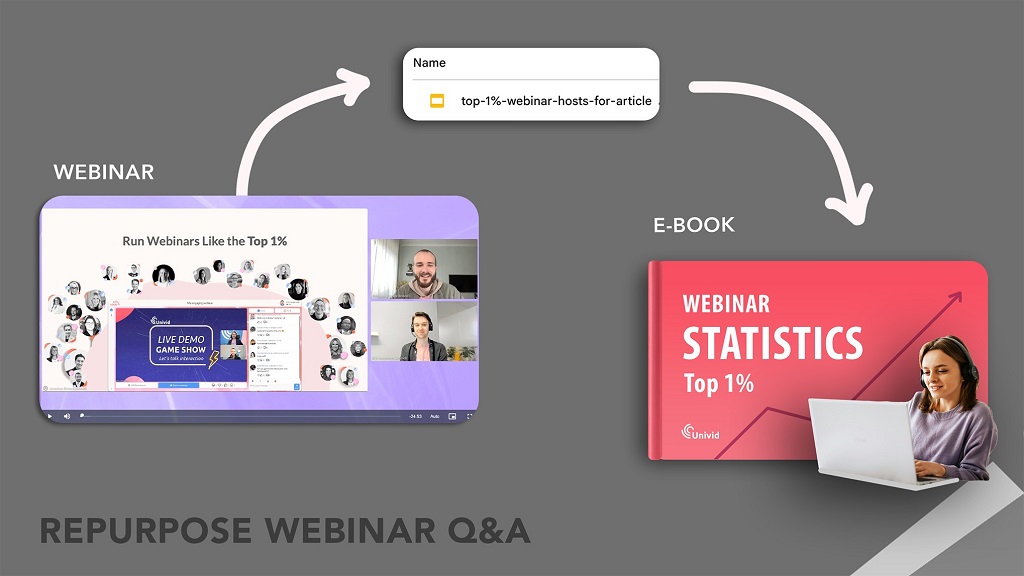
Imagine this. You pour weeks into planning a webinar. Speakers prep. Attendees register. The live event hums with energy. Q&A sparks real connections. Then, silence. The recording sits unused. What a waste.
Repurposing webinar content changes that. You take one strong session and spin it into blogs, social clips, emails, and podcasts. This approach stretches your effort. It reaches new eyes. It builds trust over time.
Data backs this up. According to the Content Marketing Institute’s 2023 report, 65% of marketers succeed by updating and repurposing existing content. This tactic saves time and boosts engagement. Another stat from Contrast’s 2025 webinar report shows AI repurposing tools saved marketers 13,000 hours in 2024 alone. That’s real value.
In this guide, you learn step-by-step ways to repurpose. You get examples. You see tools that speed things up. Ready to make your webinars work harder? Let’s dive in.
Why Repurpose Your Webinar Content? The Big Picture
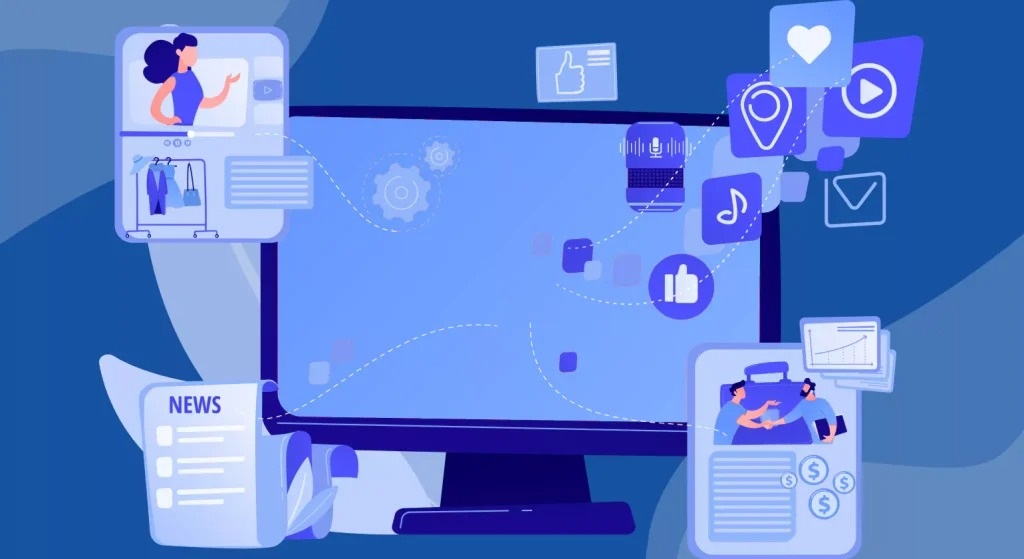
You host a webinar to share knowledge. To generate leads. To position your brand as an expert. But live events end fast. Not everyone attends. Others forget. Repurposing keeps the momentum going.
Think of your webinar as a seed. One event grows into a garden of content. This multi-channel strategy fits modern marketing. Audiences jump between platforms.
Benefits stack up quick. First, it saves time. Creating fresh content from scratch drains resources. Repurposing cuts that by 75%, per HubSpot research. You reuse gold from the session. Quotes. Insights. Stories.
Second, it widens reach. A single webinar might draw 200 attendees. Repurposed pieces hit thousands. Goldcast’s 2025 report notes a 2,903% jump in video clips from webinars last year. That’s explosive growth.
Third, it boosts SEO. Search engines love fresh, related content. Blog posts from your webinar rank higher. They pull in organic traffic. Plus, backlinks form naturally as shares spread.
Last, it nurtures leads. Attendees get reminders. No-shows catch up via emails or clips. This builds loyalty. Livestorm’s 2024 data shows 62% of marketers ramped up webinars, with repurposing as key to ROI.
An unknown fact? Early adopters of AI for this saw 20% more content output, per BloggersPassion’s 2025 stats. Tools transcribe and edit fast. No more manual slog.
Repurposing isn’t lazy. It’s smart. It turns one-and-done into evergreen assets. Your webinar lives on. So does its impact.
Step-by-Step Guide: Plan Your Webinar Repurposing Strategy
Jump in without a plan? Chaos follows. Start with intent. Map your goals. Who sees this? What action do you want?
Step 1: Capture Everything During the Webinar
Record from the start. Use tools like Zoom or Riverside. Grab audio. Video. Chat logs. Polls. Q&A. Transcribe live if possible. Descript or Otter.ai handle this smooth.
Pro tip: Assign a team member to note highlights. Timestamps for key moments. Quotes that pop. This speeds later edits.
Step 2: Audit Your Content Goldmine
Watch the recording. Pull gems. Main takeaways. Stories. Data points. Audience questions. Group them by theme. One webinar on “SEO Trends 2025” might yield sections on AI tools, voice search, and backlink strategies.
Ask: What’s evergreen? What’s timely? Prioritize high-value bits.
Step 3: Choose Your Formats
Match audience prefs. Visual learners get infographics. Busy pros want short clips. Detail fans read ebooks. We’ll cover formats next.
Step 4: Tailor for Channels
LinkedIn loves carousels. Instagram craves Reels. Email needs summaries. Keep voice consistent. Brand colors. Call-to-actions.
Step 5: Schedule and Automate
Build a calendar. Post clips weekly. Use Buffer or Hootsuite. Track with Google Analytics. Adjust based on what clicks.
Step 6: Measure and Iterate
Watch metrics. Views. Shares. Conversions. Tools like Hotjar show engagement heatmaps. Tweak for next time.
This framework scales. Start small. One webinar into five pieces. Build from there.
10 Proven Strategies to Repurpose Webinar Content into Fresh Pieces
Your webinar holds hours of value. Break it down. Remix it. Here are 10 ways, with examples and tips. Each turns effort into assets.
1. Extract Short Video Clips for Social Media
Grab 15-60 second highlights. A speaker’s tip. A poll result. An “aha” moment. Edit with CapCut or InShot. Add captions. Music.
Example: From a sales webinar, clip “Three Objection Handles in 30 Seconds.” Post on TikTok. Hashtag #SalesTips. Drives 5x views, per 2025 Gudsho stats.
Tip: Batch create 10 clips. Schedule over a month. Boost with ads for 20% more reach.
2. Turn Insights into Blog Posts
Transcribe the talk. Outline key points. Flesh out with examples. Add images. Embed the full video.
Example: Webinar on “Remote Team Building” becomes “7 Games to Boost Virtual Morale.” Include attendee quotes. Ranks for long-tail keywords like “fun remote team activities 2025.”
Unknown fact: Repurposed blogs see 55% higher conversion rates, from Sci-Tech Today’s 2025 webinar data.
Tip: Aim for 1,500 words. Use subheads. End with a lead magnet signup.
3. Craft Infographics from Data and Quotes
Pull stats. Flowcharts. Timelines. Use Canva. Make it scannable.
Example: Webinar poll on “Top Marketing Challenges” turns into a visual pie chart. Share on Pinterest. Pins last years.
Tip: Add your logo. Link back to the on-demand webinar. Boosts traffic by 12%, per HubSpot.
4. Create an Ebook or Guide as a Lead Magnet
Compile sections. Add intros. Calls to action. Design in Google Docs or Venngage.
Example: “Ultimate Guide to Email Automation” from a webinar series. Gate it behind an email form. Collects 500 leads, like in Airmeet’s case.
Tip: Update yearly. Offer as post-webinar thank-you. Builds your list fast.
5. Spin Audio into Podcast Episodes
Extract the talk track. Edit out ums. Add intro music. Host on Spotify or Buzzsprout.
Example: Q&A from a health webinar becomes “Wellness Q&A: Listener Edition.” Guests sound fresh.
Unknown fact: Podcasts from repurposed content grow audiences 30% faster, per 2025 Teleprompter stats.
Tip: Tease on social. Cross-promote with video clips.
6. Build Email Newsletters from Key Takeaways
Summarize top three points. Add a story. Link to resources.
Example: Drip series: Day 1 recap, Day 3 deep dive, Day 7 action steps. Keeps opens at 40%.
Tip: Segment lists. Attendees get exclusives. No-shows get invites to next.
7. Design Carousel Posts for LinkedIn and Instagram
Slice slides into images. Add text overlays. String them.
Example: “5 Steps to Better SEO” from webinar slides. Swipe-through format. Sparks comments.
Tip: End with a question. “Which step challenges you?” Grows engagement 3x.
8. Develop Case Studies from Attendee Stories
Weave in success tales. Before-after. Metrics.
Example: “How Company X Doubled Leads Post-Webinar.” Use anonymized data. Positions you as partner.
Tip: Share in sales decks. Converts 20% better as bottom-funnel content.
9. Produce Audiograms for Social Sharing
Visualize audio waves. Add quotes. Animate lightly.
Example: Speaker soundbite on “Leadership Lessons.” Post on Twitter. Easy shares.
Tip: Keep under 90 seconds. Track audio plays for insights.
10. Create On-Demand Mini-Courses
Chunk into modules. Add quizzes. Host on Teachable.
Example: “Webinar to Mastery: Content Strategy Basics.” Charges $47. Recurring revenue.
Tip: Use webinar as module one. Upsell full access.
These strategies mix and match. One webinar fuels 20+ pieces. Track what resonates.
Real-World Case Studies: Success Stories in Action
Stories beat theory. See how brands win with repurposing.
Take NP Digital. Their webinar on “Content Marketing Trends” became short-form clips. Posted on LinkedIn. Views hit 50k. Leads jumped 25%. They used Descript for quick edits. Simple. Effective.
Hubilo repurposed a lead-gen webinar into an ebook. Gated it. Downloaded 1,200 times. Cost per lead dropped to $45. From $150. They added fresh research. Made it shine.
Goldcast’s Content Lab turned one session into 131k clips in 2024. 2,903% growth. B2B firms saw ROI hit 500%. They automated with AI. Clips fed emails, social, blogs.
Contrast.io analyzed 3,632 webinars. AI generated posts from transcripts. Saved 5,328 hours. Engagement rose 7x. Marketers hit goals faster.
Livestorm’s 2024 report: A partner webinar on lead nurturing. Repurposed to blog series. Traffic up 61%. Registrations tripled via personalized pages.
These cases show patterns. Start with audience needs. Use tools. Measure. Scale.
Tools and AI to Speed Up Your Repurposing Workflow
Manual work slows you. Tools accelerate. Pick what fits.
- Descript: Edits video like text. Clones voices. Perfect for clips.
- Otter.ai: Transcribes fast. Pulls summaries. Exports to docs.
- Canva: Designs infographics, carousels. Templates galore.
- Repurpose.io: Automates to 20 platforms. Posts clips everywhere.
- Goldcast Content Lab: AI for B2B. Turns webinars to multi-channel fuel.
AI shines in 2025. BloggersPassion notes 4-10 hours saved per session. 20% more output. Unknown fact: AI detects sentiment in Q&A. Tailors follow-ups.
Budget tip: Free tiers work for starters. Scale as you grow.
Integrate with Zapier. Auto-post from webinar to blog. Hands-free magic.
Common Pitfalls and How to Dodge Them
Everyone stumbles. Avoid these.
- Inconsistency: Vary voice? No. Stick to brand. Use templates.
- Overlooking No-Shows: 40% skip live. Send clips. Re-engage.
- Ignoring Metrics: Post and pray? Track opens, clicks. Pivot.
- Forgetting Calls to Action: Every piece needs one. “Watch full replay.”
- Quality Drop: Rush edits? Review. Fresh eyes help.
Fix these. Your strategy strengthens.
Related Topic: ActiveCampaign vs ConvertKit for Online Course
Conclusion: Turn One Webinar into Your Content Engine
You started with a hook. A webinar full of promise. Now, you hold the blueprint. Repurpose into clips, blogs, ebooks. Save hours. Reach wider. Prove expertise.
Key takeaways: Plan first. Capture all. Remix smart. Use AI. Measure wins. Cases like NP Digital show it works.
Action time. Pick your next webinar recording. Choose three strategies. Start today. Watch your content bloom. Share your first repurposed piece in comments. Let’s build together.
FAQs
What is the fastest way to repurpose webinar content?
Transcribe with AI like Otter.ai. Pull top quotes for social clips. Post in 30 minutes. Saves days of editing.
How does repurposing webinars improve SEO?
Creates linked assets. Blogs rank for keywords. Backlinks from shares. Boosts domain authority over time.
Can small teams handle webinar repurposing?
Yes. Tools like Canva and Repurpose.io automate. Start with one format. Scale as you learn.
What’s the ROI of repurposed webinar content?
Averages 500-1000%, per GoToWebinar. Leads cost $72 each. Multi-channel reach amplifies.
How often should you repurpose webinar material?
Weekly for social. Monthly for blogs or ebooks. Keeps calendar full without burnout.
References
- Content Marketing Institute 2023 Report: https://contentmarketinginstitute.com/research/
- Contrast 2025 Webinar Statistics: https://www.getcontrast.io/learn/webinar-statistics
- Teleprompter.com 2025 Insights: https://www.teleprompter.com/blog/webinar-statistics
- Gudsho 2025 Webinar Stats: https://www.gudsho.com/blog/webinar-statistics/