
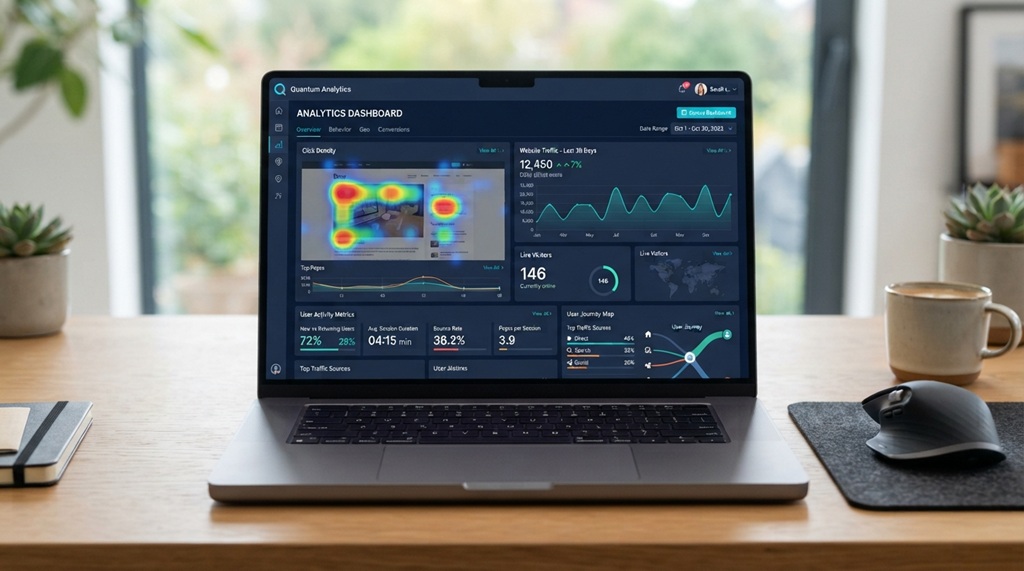
Google Analytics 4, Hotjar, and Mixpanel track user behavior best, each serving a different need. GA4 shows you the big picture of traffic and conversions. Hotjar reveals how people actually click and scroll. Mixpanel tracks specific user actions inside a product.
No single tool does everything well. That’s why most marketing teams combine two or three tools instead of relying on just one.
This guide breaks down the top options, what each one does best, and how to choose the right combination for your goals.
What “Tracking User Behavior” Actually Means
User behavior tracking means recording what visitors do on your site or app. This includes clicks, scrolls, page visits, time on page, and drop-off points.
Marketers use this data to answer practical questions. Where do users get stuck? Which pages convert best? Why do people abandon their cart?
Behavior tracking splits into two main categories. Quantitative tools give you numbers: pageviews, bounce rate, conversion rate. Qualitative tools give you visuals: heatmaps, session recordings, and click maps.
The best analytics setups use both types together. Numbers tell you what is happening. Visuals tell you why it’s happening.
Top Analytics Tools for Tracking User Behavior
Google Analytics 4 (GA4)
GA4 is the standard tool for tracking overall site traffic and user journeys. It’s free, integrates with Google Ads, and works across websites and apps.
GA4 uses an event-based data model instead of the old session-based model. This means it tracks specific actions like button clicks, video plays, and file downloads automatically.
The main limitation is its learning curve. Many marketers find the interface confusing at first, and building custom reports takes practice.
Best for: Traffic overview, conversion tracking, and audience demographics.
Hotjar
Hotjar specializes in visual behavior data. It shows heatmaps of where users click, move, and scroll on a page.
Session recordings let you watch real user visits like a video replay. This helps you spot confusing navigation or broken elements that numbers alone won’t reveal.
Hotjar also includes on-site surveys and feedback widgets. These let you ask users directly why they didn’t complete a purchase.
Best for: Understanding why users behave a certain way, not just what they did.
Mixpanel
Mixpanel tracks user actions inside products and apps, not just page visits. It’s built for teams that want to follow a user’s full journey across multiple sessions.
Product teams use Mixpanel to build funnels, measure feature adoption, and track retention over time. It’s a common choice at SaaS companies.
The pricing scales with event volume, so it can get expensive for high-traffic sites tracking every click.
Best for: SaaS and app teams tracking feature usage and retention.
Microsoft Clarity
Clarity offers free heatmaps and session recordings, making it a strong alternative to paid tools like Hotjar. Microsoft launched it in 2020 and has kept it free since.
Clarity also flags “rage clicks,” which happen when a user clicks the same spot repeatedly out of frustration. This signals a broken link or a confusing button.
Because it’s free with no visitor limits, Clarity is a smart addition even if you already use GA4.
Best for: Budget-conscious teams that still want heatmaps and recordings.
Amplitude
Amplitude works similarly to Mixpanel and focuses on product analytics. It’s known for strong cohort analysis and behavioral segmentation.
Teams use Amplitude to answer questions like: which onboarding step causes the most drop-off? Or which feature correlates with long-term retention?
Amplitude offers a generous free tier, which makes it accessible for smaller teams testing product analytics for the first time.
Best for: Data-driven product teams focused on retention and engagement.
Crazy Egg
Crazy Egg focuses on visual reports like heatmaps, scrollmaps, and A/B testing. It’s simpler to set up than Hotjar or Clarity, which appeals to smaller marketing teams.
Its “confetti” report segments click data by traffic source, so you can see how visitors from Google Ads behave differently than organic visitors.
Crazy Egg lacks the deeper funnel and retention features that Mixpanel and Amplitude offer.
Best for: Small to mid-size teams wanting quick visual insights without a steep setup process.
How to Choose the Right Digital Analytics Tool for Your Goals

When selecting digital analytics software, performance clarity should always dictate your tech stack not feature bloat. Rather than collecting redundant platforms, identify the core behavioral questions you need answered and align them with a tool built for that exact scope. For high-level acquisition and conversion metrics, Google Analytics 4 remains the essential, free foundation every website requires. However, when you need to diagnose why drop-offs occur on a specific landing page, qualitative heatmaps and session recordings from Hotjar or Microsoft Clarity reveal critical UX friction points. Similarly, for SaaS products and mobile applications requiring granular feature engagement and user retention tracking, product analytics solutions like Mixpanel or Amplitude outperform traditional web analytics tools. To maintain data integrity and dashboard usability, avoid installing multiple platforms simultaneously, which often results in analysis paralysis. Start with GA4 paired with a single visual behavior tool, adding advanced product analytics only when faced with specific questions standard reporting cannot answer. Furthermore, when extending your reach through third-party platform partnerships, metrics alone cannot safeguard your growth establishing firm legal boundaries and campaign deliverables is equally vital, so be sure to understand why you need clear influencer contracts before launching multi-channel promotional strategies.
Common Mistakes When Tracking User Behavior
Tracking Everything Instead of What Matters
More data doesn’t mean better decisions. Teams that track every possible event often drown in dashboards they never review. Pick five to ten key actions tied to your business goals, and track those consistently.
Ignoring Qualitative Data
Numbers show patterns, but they don’t explain intent. A page with a high bounce rate could mean users got what they needed fast, or it could mean they hated what they saw. Session recordings and surveys fill in that gap.
Not Segmenting Behavior by Traffic Source
A visitor from a Google ad behaves differently than one from an email newsletter. Blending all users into one report hides these differences. Most tools on this list, including GA4 and Crazy Egg, let you segment by source.
Forgetting About Privacy Compliance
Behavior tracking tools often collect data covered by regulations like GDPR and CCPA. According to industry experts, cookie consent banners and clear privacy policies are now standard requirements, not optional extras. Check each tool’s compliance settings before launch.
Frequently Asked Questions
What is the best free tool for tracking user behavior?
Google Analytics 4 and Microsoft Clarity are both free with no visitor caps. GA4 covers traffic and conversions, while Clarity adds heatmaps and session recordings. Together, they cover most small business needs without any cost.
Do I need more than one analytics tool?
Most teams benefit from combining at least two tools: one for numbers and one for visuals. GA4 alone won’t show you why users struggle on a page, and a heatmap tool alone won’t show site-wide trends. Two tools working together give a fuller picture.
Is Hotjar or Microsoft Clarity better?
Clarity is free and covers the basics well, including heatmaps and recordings. Hotjar adds more advanced features like surveys and deeper filtering, but it comes with a price tag past its free tier. Choose Clarity for budget, and Hotjar for extra features.
How do I track user behavior on a mobile app?
Mobile apps need tools built for event tracking, like Mixpanel, Amplitude, or Firebase Analytics. These tools track taps, screen views, and in-app actions the way GA4 tracks web pages. GA4 also supports app tracking, but dedicated product analytics tools usually offer deeper insight for app-specific events.
Can small businesses afford behavior analytics tools?
Yes. GA4, Microsoft Clarity, and Amplitude’s free tier all offer real value at no cost. Small businesses can build a solid tracking setup using only free tools before ever paying for a premium plan.
Conclusion
No single analytics tool tracks every type of user behavior perfectly. GA4 handles traffic and conversions. Hotjar and Clarity reveal on-page behavior through heatmaps and recordings. Mixpanel and Amplitude track deeper product usage for apps and SaaS platforms.
The smartest approach starts small. Pick one traffic tool and one visual tool, learn what they tell you, and only add more once you have a specific question that needs answering.