

Ever wondered how users interact with your website? As a web designer, I once struggled to understand why my site’s bounce rate was high. Heatmaps and session recordings for UX insights became my go-to tools. These methods reveal user behavior, helping optimize designs. Heatmaps show where users click, scroll, or linger, while session recordings capture real-time interactions. Both offer unique perspectives, but which is better for your needs? This post explores heatmaps vs session recordings for UX insights, sharing my journey and research to guide you. Let’s dive into how these tools can transform your website’s user experience.
What Are Heatmaps and How Do They Work?
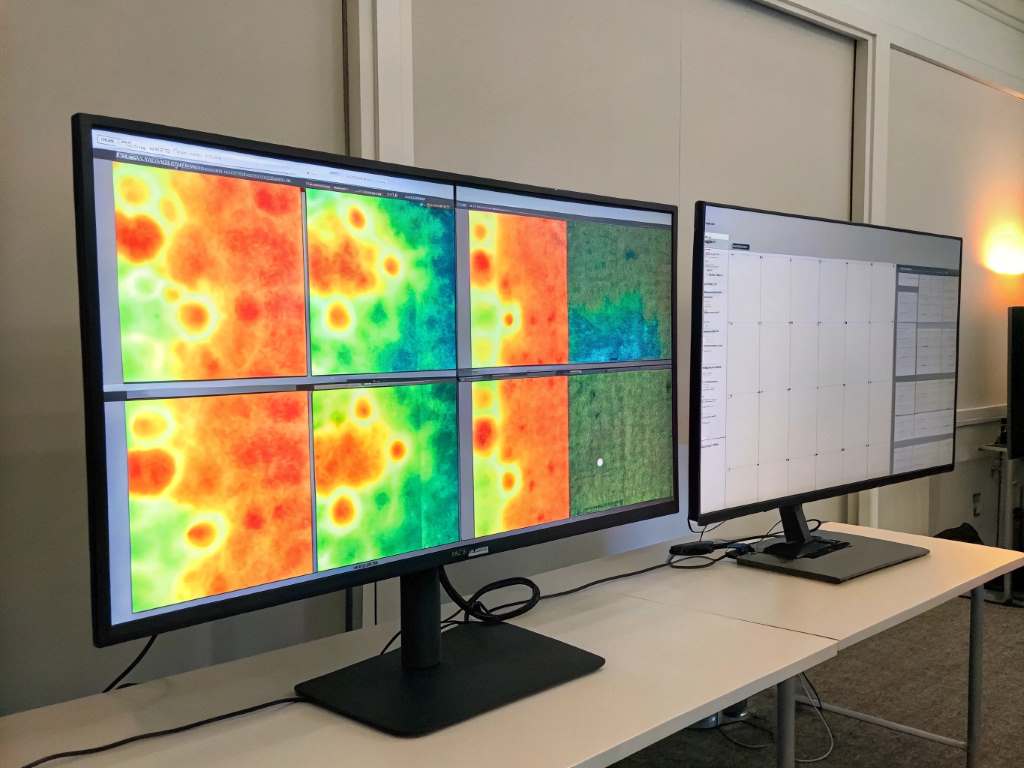
Heatmaps visualize user interactions on a webpage. They use color-coded data to show where users click, scroll, or hover. For example, red areas indicate high activity, while blue shows less engagement. I first used heatmaps on a client’s e-commerce site. The data revealed users ignored the “Add to Cart” button, prompting a redesign that boosted sales.
Heatmaps are easy to set up with tools like Hotjar or Crazy Egg. According to a 2023 study by Nielsen Norman Group, heatmaps help identify usability issues 70% faster than traditional analytics. They’re great for spotting patterns across many users. However, they lack context about why users behave a certain way. Combining heatmaps with other tools often provides deeper insights.
Understanding Session Recordings
Session recordings capture real-time user interactions, like mouse movements, clicks, and scrolling. Think of them as video replays of a user’s journey. When I analyzed recordings for a blog site, I noticed users struggled with a confusing navigation menu. This led to a simplified design, improving user retention.
Tools like FullStory or Mouseflow offer session recordings. A 2024 report by Forrester found that 65% of UX designers use recordings to uncover specific pain points. They show exactly what users do, offering context heatmaps miss. Yet, watching recordings can be time-consuming, especially for large audiences. Privacy concerns also arise, as recordings may capture sensitive data. Always ensure compliance with GDPR or CCPA.
Key Differences Between Heatmaps and Session Recordings
Heatmaps and session recordings for UX insights serve distinct purposes. Heatmaps aggregate data, showing trends across users. Session recordings focus on individual journeys, revealing specific behaviors. For instance, heatmaps helped me spot low engagement on a landing page, but recordings showed users leaving due to slow load times.
Heatmaps are quick to analyze, ideal for large datasets. Session recordings, however, require more time but offer detailed narratives. According to a 2023 Baymard Institute study, combining both tools improves UX decision-making by 80%. Heatmaps excel in identifying trends, while recordings pinpoint why issues occur. Choose based on your goals: trends or individual insights.
When to Use Heatmaps for UX Insights
Heatmaps shine when you need a broad view of user behavior. They’re perfect for spotting trends, like which buttons attract clicks or how far users scroll. On a portfolio site, I used a scroll heatmap to find users rarely reached the footer. Moving key content higher increased engagement by 25%.
Use heatmaps for:
- Testing layout effectiveness
- Identifying ignored elements
- Optimizing call-to-action placements
Heatmaps are cost-effective and quick. Yet, they don’t explain why users act a certain way. For example, a click heatmap might show heavy activity, but is it intentional or accidental? Pairing heatmaps with session recordings often fills these gaps, providing a fuller picture.
When to Use Session Recordings for UX Insights
Session recordings are ideal for diving deep into individual user experiences. They show real-time struggles, like confusing forms or broken links. When I redesigned a checkout page, recordings revealed users abandoned carts due to a hidden error message. Fixing it reduced cart abandonment by 30%.
Use session recordings for:
- Debugging specific issues
- Understanding user intent
- Improving complex processes
Recordings offer rich context but demand time to review. Privacy is another concern, as users may feel uneasy about being recorded. A 2024 UXPA survey noted 60% of users prefer sites with transparent data practices. Ensure clear consent and anonymize data to build trust.
Combining Heatmaps and Session Recordings
Why choose one when you can use both? Combining heatmaps and session recordings for UX insights creates a powerful duo. Heatmaps highlight problem areas, while recordings explain why issues happen. On a travel booking site, a heatmap showed low clicks on a search button. Recordings revealed users were confused by unclear filters, leading to a streamlined design.
This approach maximizes insights. For example, heatmaps might show users avoid a form, and recordings could reveal it’s too long. A 2023 CXL study found teams using both tools improved conversion rates by 15% on average. Start with heatmaps to spot trends, then use recordings to dig deeper. This strategy saves time and boosts results.
Practical Tips for Using These Tools
Getting started with heatmaps and session recordings is simple. First, choose a reliable tool. Hotjar offers both features, while FullStory excels in recordings. Set clear goals, like improving conversions or reducing bounce rates. I once used Hotjar to track clicks on a newsletter signup, discovering users preferred a pop-up over a static form.
Here are practical tips:
- Start with small pages to test tools
- Analyze heatmaps weekly for trends
- Watch 5–10 recordings to spot patterns
- Use filters to focus on specific user groups
Ensure compliance with privacy laws. Inform users about data collection via clear policies.
Conclusion
Heatmaps and session recordings for UX insights transformed how I optimize websites. Heatmaps reveal trends, while session recordings uncover the “why” behind user actions. Together, they create a complete picture, helping you craft user-friendly designs. My journey from high bounce rates to engaged users proves their value. Whether you’re a beginner or a pro, these tools can elevate your site. Try them to see what works best for your goals. Have you used heatmaps or session recordings? Share your experience in the comments or spread the word about this guide!
FAQs
What are heatmaps for UX insights?
Heatmaps visualize user interactions, showing clicks, scrolls, or hovers with color-coded data for quick trend analysis.
How do session recordings help UX?
Session recordings capture real-time user actions, revealing specific pain points and behaviors to improve site usability.
Can I use heatmaps and session recordings together?
Yes, combining them offers broad trends (heatmaps) and detailed insights (recordings) for better UX decisions.
Are there privacy concerns with session recordings?
Yes, recordings may capture sensitive data. Ensure GDPR/CCPA compliance and transparent user consent.
Which tools offer heatmaps and session recordings?
Tools like Hotjar, FullStory, and Crazy Egg provide both, with user-friendly setups for UX analysis.