
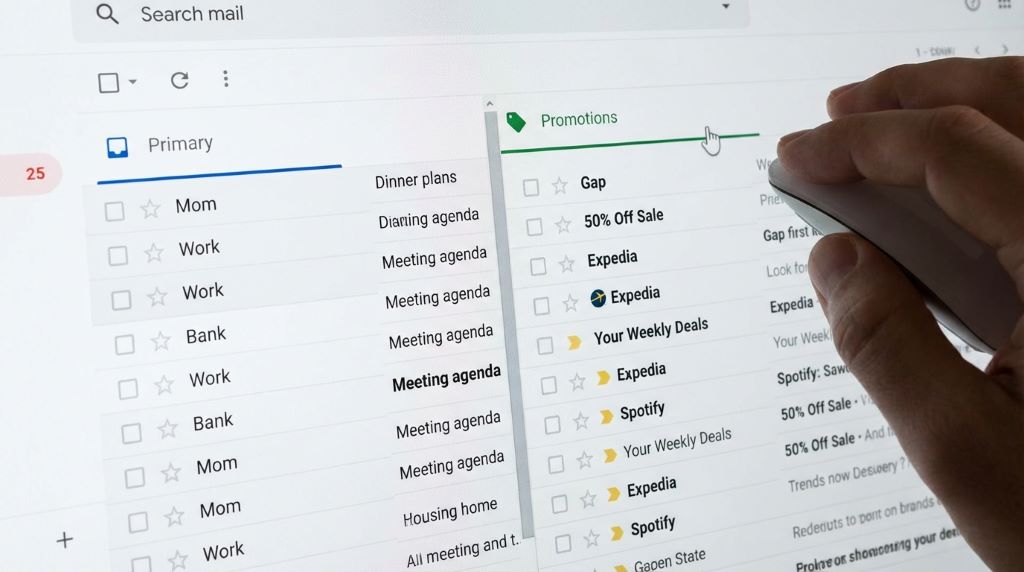
You send a welcome email, and it lands in the promotions tab. That is frustrating because your most important message gets buried before it is even read. Many marketers face this issue, yet it is solvable with the right approach. According to research from Google and email industry reports, over 60 percent of Gmail users actively check their primary inbox first, while promotional tabs often get delayed attention. That means placement matters more than ever. This guide explains how to bypass the Gmail promotions tab for welcome emails using practical, tested strategies. You will learn how to improve deliverability, increase visibility, and create emails that feel personal and trusted.
Understanding How Gmail Tabs Work
Gmail uses smart filters to organize incoming emails into categories like Primary, Social, and Promotions. These filters rely on machine learning signals rather than simple rules.
Key factors Gmail evaluates
- Content structure and formatting
- Sender reputation and engagement history
- Presence of marketing elements like images and links
- User interaction patterns
Therefore, Gmail decides placement based on how your email behaves and how users interact with it over time.
Why Welcome Emails Often Land in Promotions
Welcome emails are usually the first touchpoint, yet they often contain elements that trigger promotional classification.
Common triggers
- Heavy use of images and banners
- Multiple links or call to actions
- Generic or sales focused language
- HTML heavy design templates
As a result, even well intended onboarding emails can look like marketing campaigns to Gmail.
The Psychology Behind Inbox Placement

Gmail prioritizes emails that feel personal and conversational. When a message resembles one to one communication, it is more likely to land in the primary tab.
What Gmail considers “personal”
- Simple text based emails
- Natural language without excessive formatting
- Direct sender identity
- Replies and conversations
So, your goal is not to trick Gmail. Instead, you should align your email with how real conversations look.
Proven Strategies to Bypass Gmail Promotions Tab
1. Use a Real Person as the Sender
Emails from a real name perform better than generic brand names.
Instead of using
support@company.com
Use
john@company.com
This creates trust and signals personal communication.
2. Write Like a Human, Not a Marketer
Avoid sales heavy language. Focus on clarity and friendliness.
Example
Instead of saying
“Unlock exclusive benefits now”
Say
“Glad you joined us. Here is what you can expect”
This subtle shift reduces promotional signals.
3. Limit Images and HTML Design
Gmail flags emails with heavy design as promotional.
Best practices
- Use plain text or light formatting
- Add only one small image if necessary
- Avoid banners and complex layouts
Text based emails often perform better for inbox placement.
4. Reduce the Number of Links
Too many links signal marketing intent.
Recommended approach
- Include only one primary link
- Remove unnecessary social media icons
- Avoid tracking heavy URLs
Fewer links make your email feel more natural.
5. Personalize Content Beyond First Name
Basic personalization is no longer enough.
Go deeper
- Reference user behavior or signup context
- Mention how they joined
- Use dynamic content relevant to them
This increases engagement, which improves future placement.
6. Encourage Replies Early
Engagement is a strong signal for Gmail.
Simple tactic
Ask a question in your welcome email
“Reply and tell me what you are looking for”
Replies tell Gmail your email belongs in the primary tab.
7. Avoid Spam Trigger Words
Certain words can push emails toward promotions or spam.
Examples to avoid
- Free offer
- Limited time
- Buy now
- Discount
Instead, use neutral and helpful language.
8. Optimize Your Subject Line
Your subject line sets the tone.
Best practices
- Keep it short and natural
- Avoid symbols and all caps
- Make it sound like a conversation
Example
“Quick welcome and next steps”
9. Warm Up Your Sending Domain
New domains often struggle with inbox placement.
Steps
- Start with small email volumes
- Gradually increase sending
- Maintain consistent engagement
This builds trust with Gmail over time.
10. Segment Your Audience
Sending the same email to everyone reduces relevance.
Segment based on
- Signup source
- Interests
- Behavior
Targeted emails perform better and improve inbox placement.
Related:
How to Improve Email Deliverability and Avoid Spam Filters
Technical Setup That Supports Inbox Placement
Authenticate Your Domain
Authentication tells Gmail you are a trusted sender.
Essential protocols
- SPF
- DKIM
- DMARC
These improve credibility and reduce filtering issues.
Maintain a Clean Email List
Inactive users hurt your sender reputation.
Clean your list regularly
- Remove inactive subscribers
- Avoid purchased lists
- Use double opt in
Healthy lists lead to better deliverability.
Case Study Style Example
A SaaS company improved its welcome email placement by switching from a designed template to a simple text email.
Changes they made
- Removed all images
- Reduced links from five to one
- Added a personal tone with a real sender name
- Asked users to reply
Results
- Open rates increased by 28 percent
- Replies increased by 3 times
- More emails landed in the primary inbox
This shows that small changes can make a big difference.
Mistakes to Avoid
Over designing your email
Fancy designs look appealing but often harm deliverability.
Ignoring engagement
If users do not open or reply, Gmail will downgrade your emails.
Sending immediately without testing
Always test your email placement before full rollout.
How to Test Your Email Placement
Use seed testing tools
These tools show where your email lands across different inboxes.
Send to multiple Gmail accounts
Check placement manually in real conditions.
Monitor engagement metrics
Track opens, clicks, and replies to understand performance.
Building Long Term Inbox Success
Inbox placement is not a one time fix. It requires consistent effort.
Focus on
- Delivering value in every email
- Building trust with your audience
- Maintaining a strong sender reputation
Over time, Gmail learns that your emails belong in the primary tab.
Conclusion
Bypassing the Gmail promotions tab for welcome emails is not about tricks. It is about creating emails that feel personal, relevant, and valuable. When you simplify your design, write naturally, and focus on engagement, Gmail responds positively. Start by making small changes like reducing links and using a real sender name. Then build on those improvements with better personalization and list management. Take action today and transform your welcome emails into messages that actually get seen.
FAQs
How long does it take to move emails to the primary tab
It depends on engagement and consistency. Some improvements show within days, while others take weeks of steady performance.
Can I guarantee my email will land in the primary inbox
No method guarantees placement. However, following best practices significantly increases your chances.
Do images always cause emails to go to promotions
Not always, but heavy use of images increases the likelihood. Minimal use is safer.
Is plain text better than HTML emails
Plain text often performs better for inbox placement because it looks more personal.
Does asking for replies really help
Yes. Replies are a strong signal that your email is important and should be prioritized.